GTA 6 Not Working? Launch Problems and Fixes for PS5 and Xbox (21 Nov 2026)
GTA 6 not working? Grand Theft Auto VI launched on Thursday, 19 November 2026, on PlayStation 5 and Xbox Series X|S. For most players it simply unlocked at midnight local time and played. For others, launch night went wrong: the game stayed locked, PlayStation Network sign-in failed at the US unlock, consoles crashed in the opening missions, or a boxed copy had no working code.
This guide separates what is confirmed from what is only reported, and gives the fix for each symptom — starting with the one rule that saves the most time: do not delete the up-to-212 GB download first. Almost every launch problem below is a licence, firmware, store or status problem, not a broken download.
Launch status at a glance — 21 November 2026
| Problem | Status on 21 Nov 2026 |
|---|---|
| PSN sign-in / games and social outage at the US unlock | Confirmed, resolved — degraded 05:33–06:04 UTC on 19 Nov 2026 (about half an hour), in more than 60 countries. All services were showing as running again by early 20 Nov. Sony has published no cause and has not linked it to GTA 6. |
| PS5 firmware required to start GTA 6 | Confirmed — system software 26.07-14.23.00, about 1.27 GB, released 17 Nov 2026. PlayStation Support says it is required to start the game. |
| Game updates before launch | Reported by download trackers — update 1.002.000 (1,073 MB, 13 Nov) and 1.002.001 (602.5 MB on PS5, 1.59 GB on Xbox, 16 Nov). No patch notes from Rockstar. No third game update had been reported by 20 Nov. |
| Crashes and lost progress, including PS5 error CE-108255-1 | Reported, no fix yet — player reports on PS5 and Xbox, including crashes in the opening prologue and one report of a console shutting down after about ten hours with no save found. Rockstar has posted no known-issues list and no patch notes. |
| Boxed copy: blank code panel or code already used | Reported — reports from 12 Nov 2026 onwards. Retailers are sending buyers to Rockstar, and Rockstar had said nothing as of 20 Nov. |
| GTA 6 Online at launch | Confirmed: not at launch — GTA 6 is a single-player game at launch. There is no GTA 6 Online mode yet. |
Updated 21 November 2026 — what changed since 20 Nov
GTA 6 not working is still the story on day three, and the CE-108255-1 crash is now the biggest single problem. Rockstar still has not posted a known-issues list, patch notes, or a statement about the crashes, and no new game update has come out since launch (checked 20 Nov, 12:50 PM CT).
- CE-108255-1, wider than first thought: Polygon (20 Nov) reports players crashing in the prologue, hours in, and at the same point every time — including in the Pipework mission, where one player crashes every time Jason uses the plunger. Rockstar support told at least one player to contact PlayStation hardware support, implying Rockstar sees it as a PS5 problem; PlayStation support told another player it is a software issue. Clearing the cache, rebuilding the database, reinstalling and even factory resetting have not helped everyone. A workaround reported by some players: change the PS5 resolution from Manual to 1080p in system settings.
- Second error code, CE-107891-6: Sony says this means the game did not install properly, and the fix is to delete GTA 6 and install it again. Your saved data stays on the console.
- Early Lucia mission softlock: players report a mission stalling after leaving a bank, plus visual glitches, missing textures and lost progress on both consoles.
- Services all green: PlayStation, Xbox and Rockstar status pages all showed every service operational at midday on 20 Nov.
If a status page shows a problem, that is the answer: wait until it clears. If every status page is green, the problem is almost certainly on your console, your account licence, or your download — work through the fixes below in order.
First: check the status pages before you change anything
Before reinstalling, rebuilding or deleting anything, check these three places. They take a minute, and they stop you fixing a problem that is not yours.
- PlayStation status — status.playstation.com. If games, social or sign-in is degraded, wait and retry. That was the case for about half an hour after the US unlock on 19 Nov.
- Xbox status — the Xbox status page. No Xbox-wide incident was reported at launch, but check it anyway if you are on Xbox.
- Rockstar status — Rockstar’s own service-status page. It read “all services operational” at 01:55 UTC on 20 Nov, and it carries no Grand Theft Auto VI row at all — so it will not tell you about a GTA 6-specific problem, only about Rockstar’s services.
If all three are green and the game still will not start, move on to the symptom below that matches what you see.
GTA 6 still locked after launch
This is the most common launch-night complaint, and it usually has nothing to do with the download.
On PS5 — restore licences. Go to Settings → Users and Accounts → Other → Restore Licences, then pick the licences to restore. Or highlight GTA 6 on the home screen or in the Game Library, press Options and select Restore Licence. This is PlayStation’s own published fix for a padlocked game, and it is the first thing to try.
On PS5 — turn on Console Sharing and Offline Play for the account that bought the game. If a second account on the same console sees the game as locked, that account does not own it. The buying account needs Console Sharing and Offline Play switched on. This is also on PlayStation’s GTA 6 troubleshooting page.
On Xbox — check your home Xbox and your order. Set the console as your home Xbox (Xbox button → Profile & system → Settings → General → Personalization → My home Xbox → Make this my home Xbox). If Xbox says “you don’t own this game”, check Payment & billing → Order history in your Microsoft account — the pre-order may have been cancelled or could not be billed.
Check the unlock time and the account region. GTA 6 unlocked at midnight local time on 19 November 2026 in every region. The store follows your account’s country, so a code bought in another region may not redeem on your account — PlayStation codes are region-locked. If you are still waiting before local midnight, the game is not broken; it has not unlocked yet.
PS5 will not start the game: update the system software first
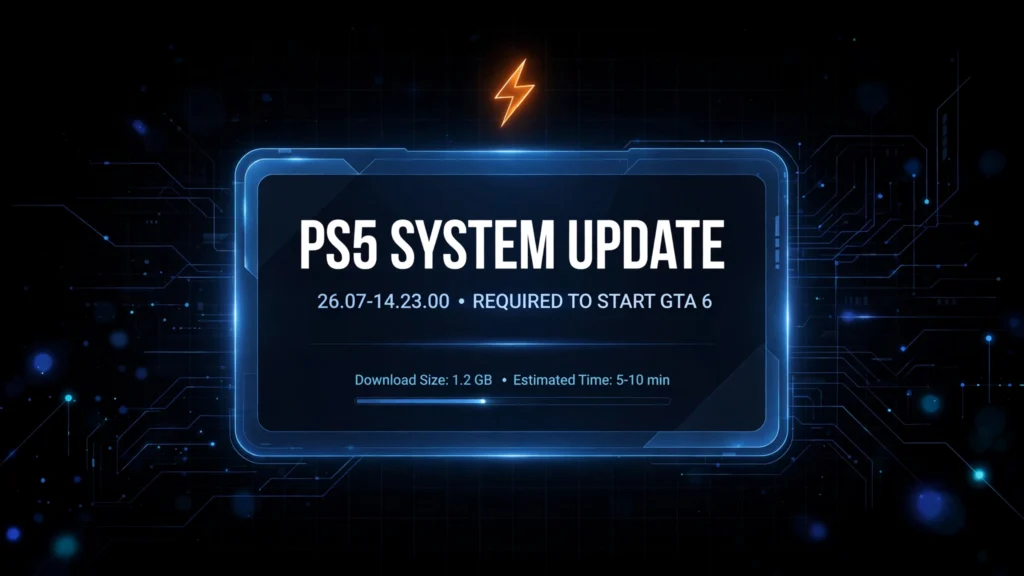
GTA 6 needs PS5 system software 26.07-14.23.00 (about 1.27 GB, released 17 November 2026) to start. If your console is on older firmware, the game will not start at all.
Go to Settings → System → System Software → System Software Update and Settings, install the update, then restart the console. On Xbox, go to Profile & system → Settings → System → Updates and install anything pending.
Do this before you try anything more drastic. A surprising number of “game won’t start” reports on launch night were consoles that had never installed the 17 November firmware.
Game crashes or freezes in the opening prologue
Some players on PS5 and Xbox Series X|S report crashes or freezes in the opening prologue, and a smaller number report lost progress — including one widely shared report of a console shutting down after about ten hours with no save found, and Xbox owners restarting the prologue several times.
Be honest about the state of this one: there is no confirmed fix yet. Rockstar has not acknowledged the crashes, published a known-issues list, or released patch notes as of 21 November 2026. Reports collected by GamesRadar say the usual fixes — clearing the cache, rebuilding the database, reinstalling and restoring licences — did not help players hitting PS5 error CE-108255-1 repeatedly after certain early story moments. Sony’s only published advice for that error is to update the game, then contact PlayStation Repairs.
What is worth trying, in order, while you wait for Rockstar:
- Install the newest game update and the newest console system software, then fully restart the console — not rest mode.
- Leave a few GB of free space beyond the game itself; a drive filled to the last gigabyte is the most common cause of a crash that looks like a game bug.
- Reload the last checkpoint or an earlier save if a mission will not complete. If a mission is genuinely stuck, report it to Rockstar Support with your platform and the mission name — that is how a fix gets prioritised.
- Do not delete and re-download the game to fix a crash. A 212 GB re-download takes hours and, on the evidence so far, does not fix CE-108255-1.
If the crash happens at the same story moment every time, stop replaying it and wait for a patch. Repeating the same crash will not fix it, and it risks another lost save.
Pre-load stuck, download will not finish, or storage is full
GTA 6 pre-loads at up to 212 GB, depending on your device, and there are two pre-launch game updates on top of that. If the download is still running, the game cannot start — check Downloads/Uploads on PS5 first, before assuming the game is locked.
On a typical 10–20 Mbps home connection, 212 GB takes one to two days of continuous downloading. Use a wired connection if you can; Wi-Fi drops are the most common reason a big download stalls near the end. Free up space first: a launch-era PS5 with an 825 GB drive has roughly 667 GB usable, so GTA 6 alone takes about a third of it, and on a 512 GB Xbox Series S it can take close to half the usable space.
If the download is genuinely stuck, pause and resume it, then restart the console. Only as a last resort, after checking the status pages and your storage, delete and re-download — and only then, because that is the slowest possible fix.
Bought the boxed copy? It is a code, not a disc
The boxed copy of GTA 6 contains a download code, not a disc. Redeem the code and the same download applies — which is why a blank code panel or an “already used” code is a real problem, not a misread.
Player reports of blank panels and already-used codes go back to 12 November 2026. Retailers are sending buyers to Rockstar, and Rockstar had said nothing as of 20 November. If this is you: keep the box and the receipt, photograph the code panel, and contact your retailer first — Sony also publishes a remedy page for this — then Rockstar Support. Do not buy a second code from a reseller to work around it; with no PC version announced and no legitimate resale channel for a used code, that is how people lose money twice.
What is confirmed vs reported — quick table
| Claim | Status |
|---|---|
| GTA 6 launched 19 Nov 2026, PS5 and Xbox Series X|S only | Confirmed — Rockstar |
| PSN degraded 05:33–06:04 UTC on 19 Nov, now resolved | Confirmed — Sony status page |
| PS5 firmware 26.07-14.23.00 required, ~1.27 GB, 17 Nov | Confirmed — PlayStation Support |
| Restore Licences and Console Sharing fix a locked game on PS5 | Confirmed — PlayStation troubleshooting page |
| Game updates 1.002.000 and 1.002.001 before launch | Reported — download trackers; no Rockstar patch notes |
| CE-108255-1 crashes and lost progress | Reported — player reports; no Rockstar acknowledgement or fix yet |
| Blank / already-used boxed codes | Reported — player reports from 12 Nov; no Rockstar statement yet |
| A new patch or fix from Rockstar on 21 Nov | Not confirmed — none reported by 21 Nov 2026 |
| GTA 6 on PC, or a PC fix for any of this | No — no PC version announced; do not download anything claiming to be one |
The bottom line
Most GTA 6 launch problems have a short, boring fix: update the PS5 firmware, restore licences, check the status pages, and finish the download. Do those four before anything else, and do not delete 212 GB to fix a problem that is usually a licence or a store outage.
The exception is the prologue crashes and CE-108255-1. There, the honest answer on 21 November 2026 is that Rockstar has not acknowledged the problem or published a fix yet — so save often, keep free space on the drive, and wait for a patch rather than reinstalling again and again.
For the full launch picture — release time around the world, price in the US and in Pakistan, and pre-load size — see our first guide: GTA 6 Release Time, Price and Pre-load Size.
Volt Media is not affiliated with, endorsed by, or connected to Rockstar Games or Take-Two Interactive. Grand Theft Auto and GTA are trademarks of Take-Two Interactive. Prices, dates and file sizes are as confirmed or reported on 21 November 2026 and may change. Check the PlayStation status page, Xbox status page and Rockstar Support for the current position before you buy or reinstall anything.
Sources checked 21 Nov 2026: GTA6 Database / gta6games.org — GTA6 Launch Status: Problems and Fixes, last verified 20 Nov 2026, 01:50 UTC (https://gta6games.org/gta6-launch-status/); 2ndShift — GTA 6 Not Working? Launch Fixes for PS5 and Xbox, updated 20 Nov 2026, 12:50 PM CT (https://www.2ndshift.gg/gta-6-preload-not-working-fixes/); Polygon — GTA 6 Players Are Encountering a Mysterious Game Breaking Crash, published 20 Nov 2026 (https://www.polygon.com/gta-6-crash-ps5-error-code-ce-108255-1/); Grand Theft Auto Wiki — Is GTA 6 Down? Server Status and Fixes, updated 20 Nov 2026 (https://grandtheftautowiki.com/articles/gta-6-not-working-server-status); mygta.co — GTA 6 Won’t Start or Still Locked? Fixes for PS5, Xbox, updated 20 Nov 2026 (https://mygta.co/guides/gta-6-still-locked/). Official sources named in the text: Sony / PlayStation status page and PlayStation Support (PS5 firmware 26.07-14.23.00), Rockstar service status, Rockstar Support.

Founder of Volt Media, a performance-led creative agency in New York. Performance Marketer focused on paid media, SEO and AI-driven growth.

About author


